
Handwritten Ink
Write naturally with smooth, low-latency ink. Use pens, highlighters, erasers, shapes, and the lasso tool with your stylus, S Pen, or Apple Pencil on your iPad or Android tablet.
The AI note-taking app for handwritten notes, PDF annotation, and smart summaries — a powerful digital notebook for iPad and Android, with no subscription, ever.
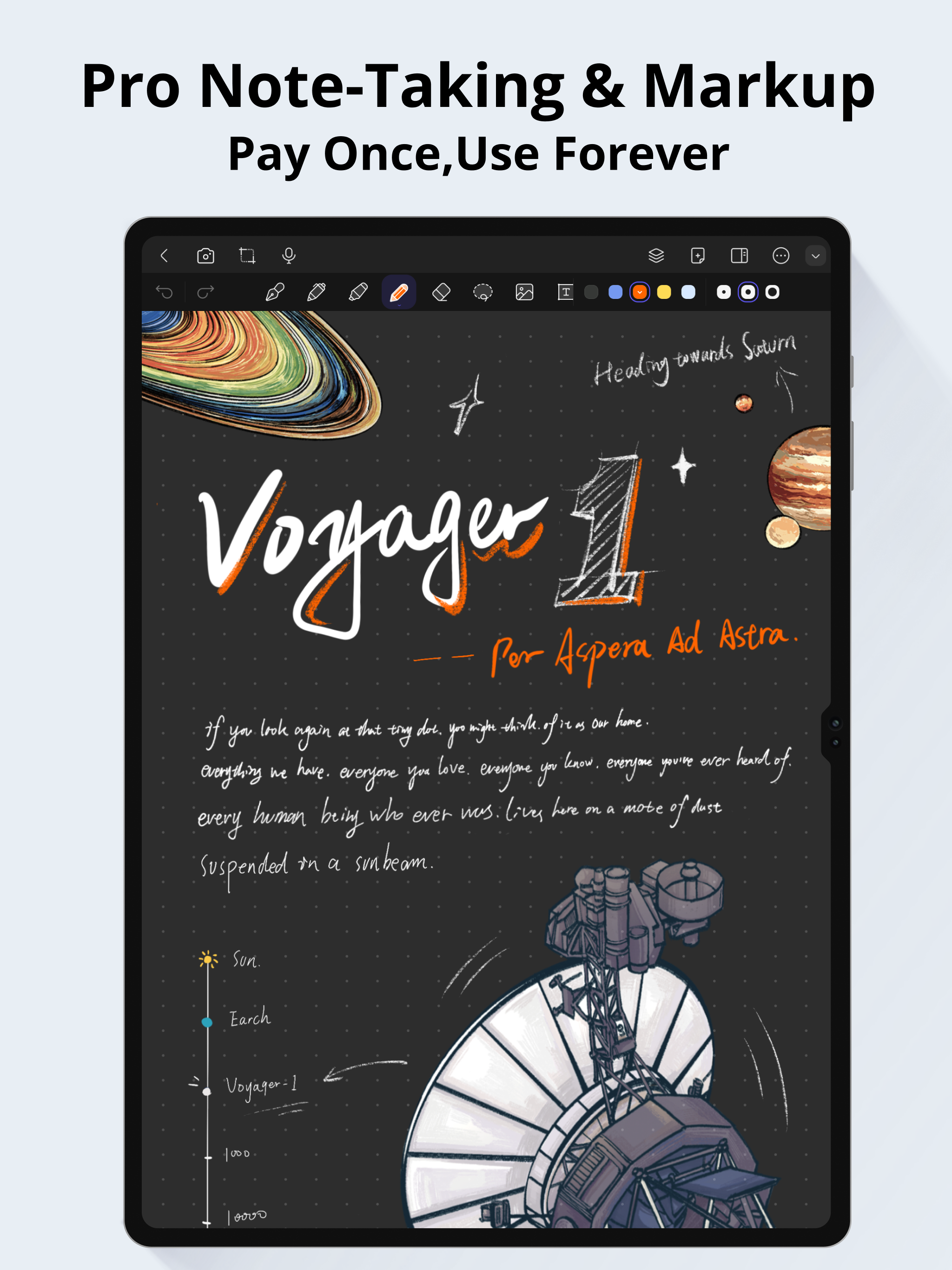
Pro Note-Taking & Markup
Write naturally with smooth, low-latency ink. Use pens, highlighters, erasers, shapes, and the lasso tool with your stylus, S Pen, or Apple Pencil on your iPad or Android tablet.
Import textbooks, slides, and worksheets, then highlight, underline, and draw right on the page. Export your notes as PDF anytime.
Turn long lectures and meetings into concise AI summaries, kept alongside your notes for faster review.
Keep every subject in its own notebook. Organize class notes, study materials, and everyday ideas in one paperless workspace.
Start fast with ready-made templates for study notes, student planners, and daily organization.
Separate ink, shapes, text, and images on their own layers for clean, fully editable pages.
Bring PDFs, documents, and images straight into your notebooks from anywhere.
Use the core tools free, then unlock Pro with a single purchase — no subscription, ever.
Handwritten notes, sketches, and annotations on an infinite dark canvas. Focus on ideas, not page limits.
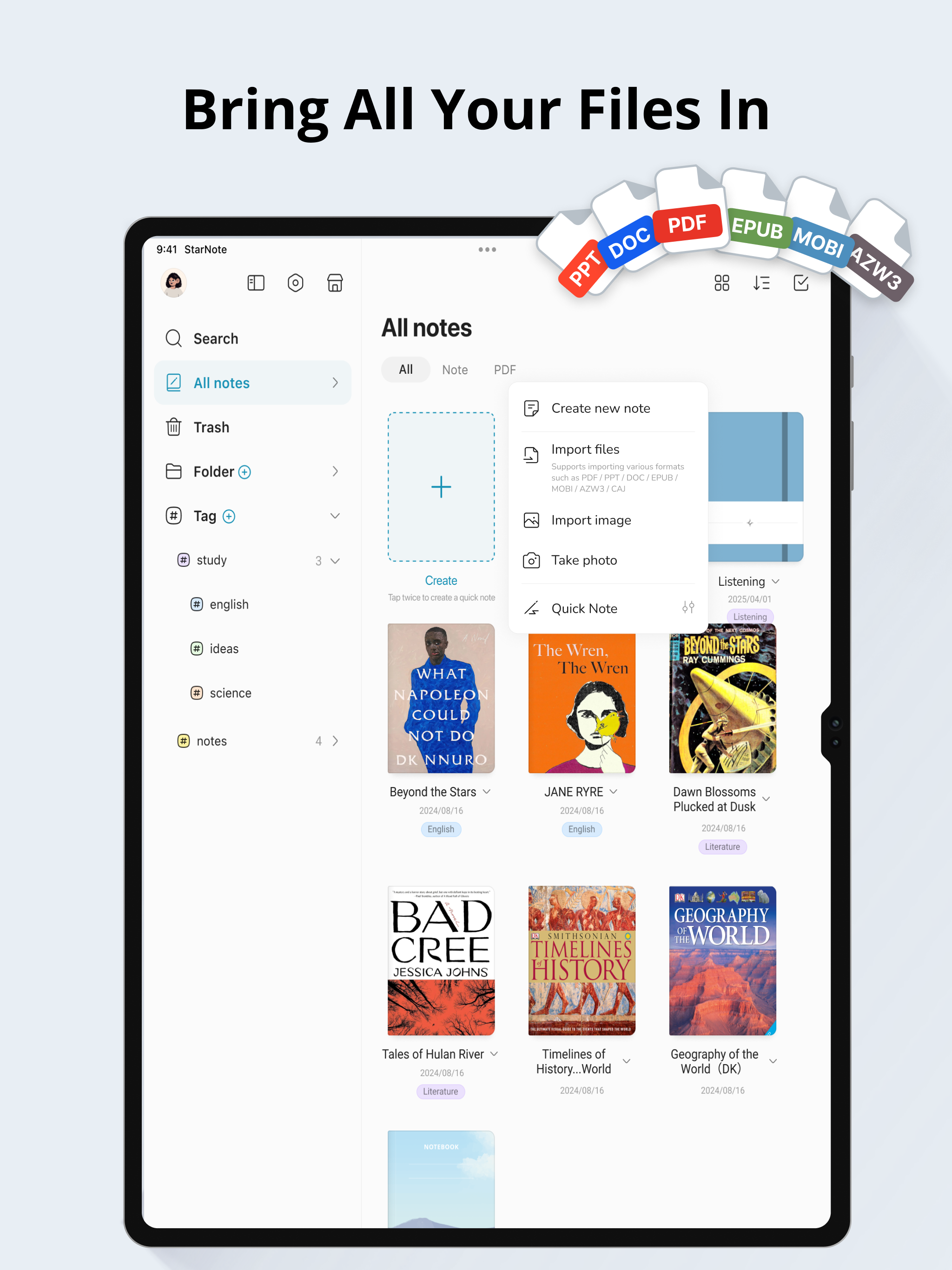
Import books, slides, and documents. Keep everything in one place and mark it up.
The best GoodNotes and Notability alternative for Android tablets and iPad — handwritten notes, PDF annotation, and AI, with no subscription.
| Feature | StarNote | Traditional Apps |
|---|---|---|
| Notebook Limit | 10 free · Unlimited Pro | Limited · Subscription |
| Handwriting Ink | Smooth stylus ink | Basic or missing |
| PDF Annotation | Full markup & export | Often paywalled |
| AI Audio Summaries | Built-in | Not available |
| Templates & Stickers | Premium templates + stickers (Pro) | Basic or paid extras |
| Smart Handwriting Search | Pro included | Not available |
| Handwriting Recognition | 11 languages (Pro) | Not available |
| Lifetime Access | One-time $5.99 | Subscriptions |
$0
Core tools for handwriting, PDFs, and notebooks
$5.99
Lifetime access. No subscription.
Pay once. Own it forever. No subscription, no expiry.
Considering an alternative to a subscription-based note app? See how StarNote stacks up as a one-time-purchase handwriting notebook.
Two quick workflows to get more from handwritten notes, PDF annotation, and AI — on your Android tablet or iPad.
Capture lectures with AI, mark up slides and study materials, and review before exams — all in one notebook.
AI Audio SummariesAnnotate papers, import references, and keep source PDFs organized across projects.
PDF AnnotationSketch ideas in natural handwriting on an infinite canvas, then layer and refine.
Handwritten InkImport contracts and documents, annotate with ink, and stay paperless on every device.
Import AnythingStarNote is available on both iOS and Android, so you can take your notes anywhere.
Yes. StarNote is free to download and use on iOS and Android.
Open any page, tap the layers icon, and add, rename, or hide layers to keep your ink, images, and notes neatly separated.
The infinite canvas gives you unlimited zoom and pan space on every page, so you can write, draw, and arrange content freely without worrying about running out of room.
Yes. You can import PDF templates, write on them just like regular pages, and re-export them as PDFs when you're done.
You can export your notes as PDF or image files, or use the share sheet to send them directly to other apps or contacts.
Yes, StarNote syncs your notes seamlessly between iOS and Android devices, so your work is always up to date.
StarNote supports importing and exporting PDFs, as well as exporting notes as images. For handwriting data, it uses its own format to preserve your ink.
Your notes are stored locally on your device and only synced to your own cloud account if you enable it. We do not access or sell your handwriting data.
Yes, StarNote uses on-device handwriting recognition to make your handwritten notes searchable, so you can quickly find what you need.
No. StarNote is free to download, and StarNote Pro is a one-time purchase of $5.99 — there are no monthly or yearly subscription fees.
Yes. StarNote is a strong GoodNotes alternative for Android tablets and iPad, offering handwritten notes, PDF annotation, digital planning, and a no-subscription one-time purchase.
Yes. StarNote works as a Notability alternative for handwritten notes, PDF markup, audio recording, and organized digital notebooks.
Yes. Handwritten notes and PDF annotation are available in the free app. StarNote Pro unlocks extras like unlimited notebooks, smart search, and advanced handwriting recognition through a one-time purchase.
Yes. StarNote uses on-device handwriting recognition across 11 languages, so your handwritten notes stay searchable.
Yes. StarNote records lectures or meetings and uses AI to turn audio into searchable transcripts and concise summaries, so you can review faster.
Yes. Students use StarNote for lecture notes, PDF textbooks, study planners, exam prep, and AI lecture review — all in one digital notebook.
Yes. StarNote is an AI note-taking app: it records lectures or meetings and turns the audio into AI summaries and searchable transcripts, while you keep writing your own handwritten notes.
Yes. StarNote works as a PDF document organizer — import PDFs, write on the pages, and keep every annotation with your handwritten notes in the same digital notebook.
Yes. StarNote is built for stylus input, including the S Pen on Android tablets and the Apple Pencil on iPad, with smooth low-latency ink for natural writing.
The free version of StarNote lets you create up to 10 notebooks. StarNote Pro removes the limit so you can keep unlimited notebooks.
Yes. StarNote can record lectures and meetings while you write by hand, then use AI to turn the audio into a searchable transcript and a concise summary.
Yes. StarNote stores your notes on your device and runs handwriting recognition on device, so core note-taking works offline. Syncing and AI features use the cloud when you enable them.
Yes. StarNote works as a digital planner — import a planner template or start from a blank page, then keep your schedule, tasks, and notes together in one notebook.
Yes. You can insert photos and images onto any page, so screenshots, diagrams, and reference pictures sit right next to your handwritten notes.
Yes. StarNote is a OneNote alternative for handwritten notes, PDF annotation, and digital planning, with a one-time purchase instead of a subscription.
Yes. StarNote is a Samsung Notes alternative with low-latency stylus input, PDF annotation, and AI lecture summaries on Android tablets and iPad.
Yes. StarNote is a strong note app for iPad with no subscription — handwritten notes, PDF annotation, and AI summaries are free to use, and Pro is a one-time $5.99 purchase.
Yes. StarNote includes pens, highlighters, shapes, and a lasso tool, so you can sketch diagrams and arrange your ink and images on the page.
StarNote Pro is a one-time $5.99 purchase that unlocks unlimited notebooks, smart search, and advanced handwriting recognition. There are no monthly or yearly fees.
Yes. StarNote is a one-time purchase: the free app covers core notes and PDF annotation, and StarNote Pro is a single payment that unlocks unlimited notebooks. There are no monthly or yearly subscriptions — you own what you buy.
StarNote is built for Android tablets: low-latency ink, S Pen and stylus support, PDF annotation, and AI summaries make it a strong handwriting-first choice without a subscription.
Yes. StarNote is an Apple Notes alternative for people who want richer handwriting, PDF annotation, and AI summaries on iPhone and iPad — with a one-time purchase instead of a subscription.
Yes. Professionals use StarNote for meeting notes, PDF document markup, recorded-audio transcripts, and AI summaries — keeping work notes organized in one notebook without a subscription.
Yes. Use StarNote as a journal or daily notebook: handwritten entries, photos, PDF pages, and AI-organized notes all live in one place, free to start.